A timegrapher listens to the tick of a watch's escapement and turns it into numbers. Watchmakers use bench machines with a dedicated microphone. Horology does the same job with the microphone already in your iPhone, so you can check a watch at home, after a knock or before you buy.
What it measures
| Number | What it tells you | Healthy range |
|---|---|---|
| Rate | Seconds gained (+) or lost (−) per day | −4 to +6 s/d for a COSC chronometer |
| Amplitude | How far the balance wheel swings | 250 to 310° for a fully wound watch |
| Beat error | The asymmetry between tick and tock | Under 0.5 ms is excellent |
What each number says about a movement: rate, amplitude and beat error, explained.
How it works
- Wind the watch fully and find a quiet room.
- Press the bottom of your iPhone firmly against the case, near the crown, and keep still.
- Horology finds the beat rate, from 18,000 to 36,000 vph, and draws every beat on the trace: gold dots for ticks, green for tocks.
- In about 30 seconds you have the rate, beat error and amplitude, saved to the watch's accuracy history.
Six positions
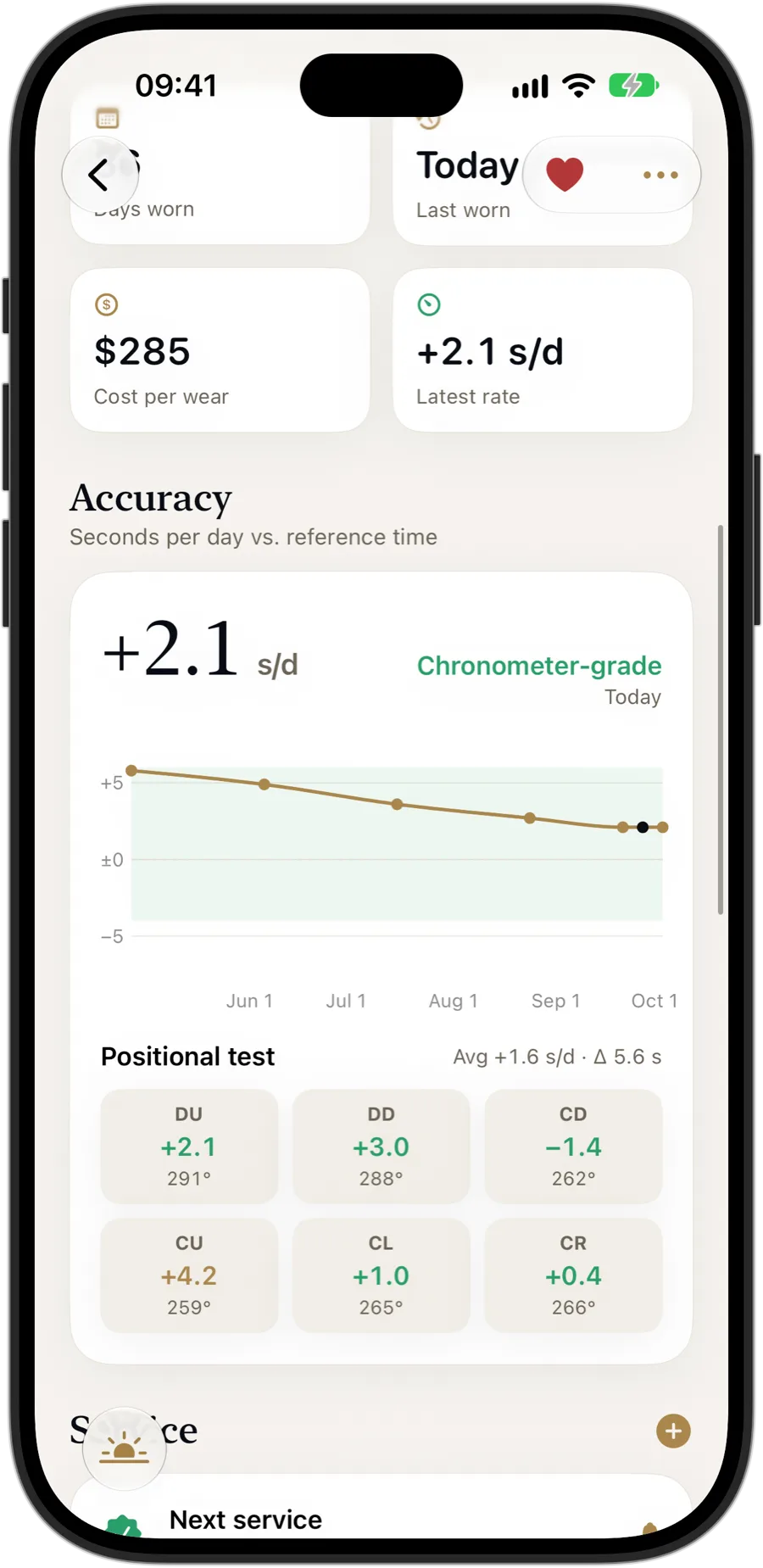
Measure the watch dial up, dial down and crown in four directions, and Horology shows the rate and amplitude in each, the spread between them and a verdict on how well the movement is adjusted. See the six-position test, explained.
The right lift angle
Amplitude depends on the calibre's lift angle. Add a watch from Horology's catalog and the Timegrapher uses its calibre's published lift angle; otherwise it uses 52°, and you can change it. See the lift angle chart.
Private by design
The microphone is only used while you measure. The sound is analyzed in memory on your iPhone and is never recorded or uploaded.
Free and Pro
Time Check, which measures any watch's daily rate against atomic time, is free. The Timegrapher, the six-position test and accuracy history are part of Horology Pro, with unlimited watches, Insights, service reminders and exports.
Questions
Can an iPhone work as a timegrapher?
Yes, for a useful reading. Pressed against the case, the iPhone's microphone picks up the sound of the escapement. In a quiet room Horology turns it into rate, beat error and amplitude that are a good guide, though a watchmaker's bench timegrapher remains the reference.
Which watches can it measure?
Mechanical watches, automatic or hand-wound, beating at 18,000, 19,800, 21,600, 25,200, 28,800 or 36,000 vph. Quartz and Spring Drive watches have no ticking escapement to listen to, so measure them with Time Check instead.
Do I need any extra equipment?
No. Horology uses your iPhone's built-in microphone: press the bottom of the iPhone against the watch and keep still.
Why does my amplitude look wrong?
Check the lift angle set for the watch, since amplitude depends on it, and make sure the watch is fully wound and the room is quiet.
Is the Timegrapher free?
The Timegrapher is part of Horology Pro. Time Check, which measures a watch's daily rate against atomic time, is free for every watch.